2 Color Poster Project
~ 2 COLOR POSTER PROJECT ~
Project Sheet PDF
Competency:
#503 Demonstrate basic use of page layout software - InDesign
Project:
Utilizing Cornell Notes with class lecture & demonstration of Adobe InDesign, the student will first create 2 abstract designs showing their use of each tool reviewed. Next the student will reproduce the fundraiser poster provided to them with concern for accuracy in both typography & measurement. Lastly the student will creatively design their own SkillsUSA poster as a Live Job to include all of the content provided, all to the criteria detailed in the PDF.
Key Points & MAX Strategy:
Utilizing "Cornell Notes" as a comprehension strategy, we will use Class Lecture, demo, & hands on activities for SkillsUSA poster as a Live Job
-
Selection Tool
-
Direct Select Tool
-
Type Tool & Text on a Path
-
Line Tool
-
Pencil Tool
-
Pen Tool
-
Rectangle, Elipse Frame & Polygon Frame Tool
-
Rectangle, Elipse & Polygon Shape Tool
-
Color Palette
-
Character Palette
-
Stroke Palette

Website Design using WIX
You will be creating a WIX webpage for your Group Project! You will be required to make a site with at least three working links.
This site will be started in class, but can be done at home, on personal computers as well.

Start by creating a wix login - go to www.wix.com, use your EASTERN email. The nice thing about Wix is you do not have to pay anything, this website is FREE!
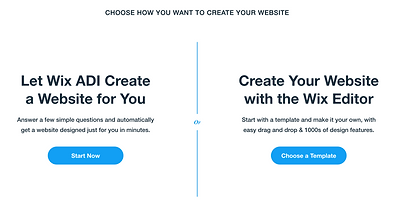
You have the choice between starting with a template or having Wix help you design one from scratch. You may do either; if you chose a template you have the ability to make any changes you would like and make it your own!

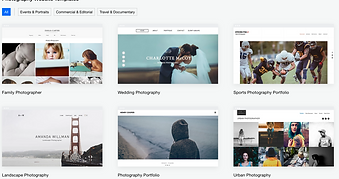
Before starting your website, I would recommend checking out other websites - google and find some your really like and are inspired by! Look at the overall layout, colors, flow, organization of work!
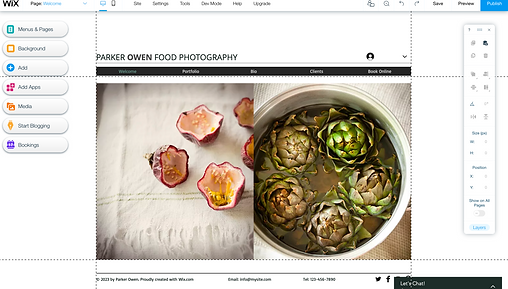
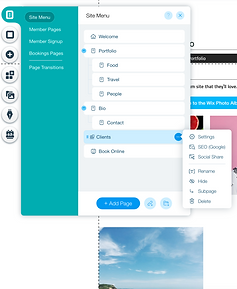
Site menu -
This is where you can edit pages, change their name/label, remove pages that the template starts with. It starts with whatever the template has defaulted to have.
This will be how you add the pages you need.

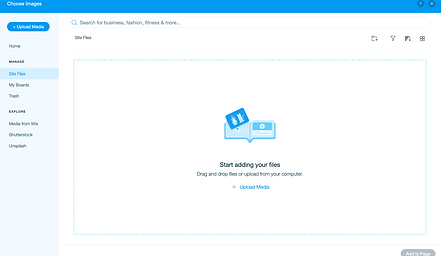
Add + - Image -
This is where you can add your own images!

Your site should be more organized and more completed than mine is on the right, this was a quick sample I made for you!
While making your site, explore all the options you have with your layouts, font and color choices. Everything should be consistent! If we see inconsistencies with fonts, galleries colors, etc, this will not get you a good score!!

So once you have selected a site template, you will update the information, photos, links, etc to be your own! If you choose a blank template you have to add everything on your own using the menus on the left, adding pages, text boxes, galleries, images, etc.
For your site, you will be required to have the following items/pages, as always you may go above and beyond the requirements and add more!
On your site you must include the following pages:
-
A home page -
• 3 working links of your choice
-
MUST take you to New pages for your website, not farther down on the page
-
-
Resturants -
-
may have online ordering, merchindise, bookings/reservations, etc.
-
be creative!
-
-
-
VIM
-
May have seperate pages for parents vs kids, shopping, direct mailer sign up, etc.
-
be creative!
-
-
When you are done editing your site and ready, hit publish up in the top right corner! Every time you edit your site, you need to hit publish so any changes you've made go live.
Once published, you can send us your URL - find it one of two ways:
1 - Go to the site menu, click on your home page, click on the 3 dots, then click SEO(GOOGLE), go to URL and then copy that!
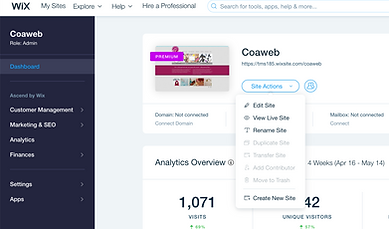
2 - Go back to the Wix home page, click on site actions and hit view live site. Now copy that URL!
Once you have copied your URL, head to Teams and paste it into the word document we left for you!
DO NOT COPY AND PASTE THE URL WHILE YOU ARE IN THE WIX EDITING SCREEN!
Publishing your site